New · GPT Image 2.6

GPT Image 2.6 Flare AI Image and GIF Generator

GPT Image 2.6 Flare is OpenAI's speed-first image model. OpenAI says the 2.6 models generate images 50% faster than before, and that Flare can return a low-quality image in as little as six seconds. Use it to draft posters, product shots and ad variants, edit with up to 16 references, or turn a prompt into a short looping GIF.

  • Low-quality drafts in as little as ~6 seconds
  • Animated GIF output
  • Up to 16 reference images
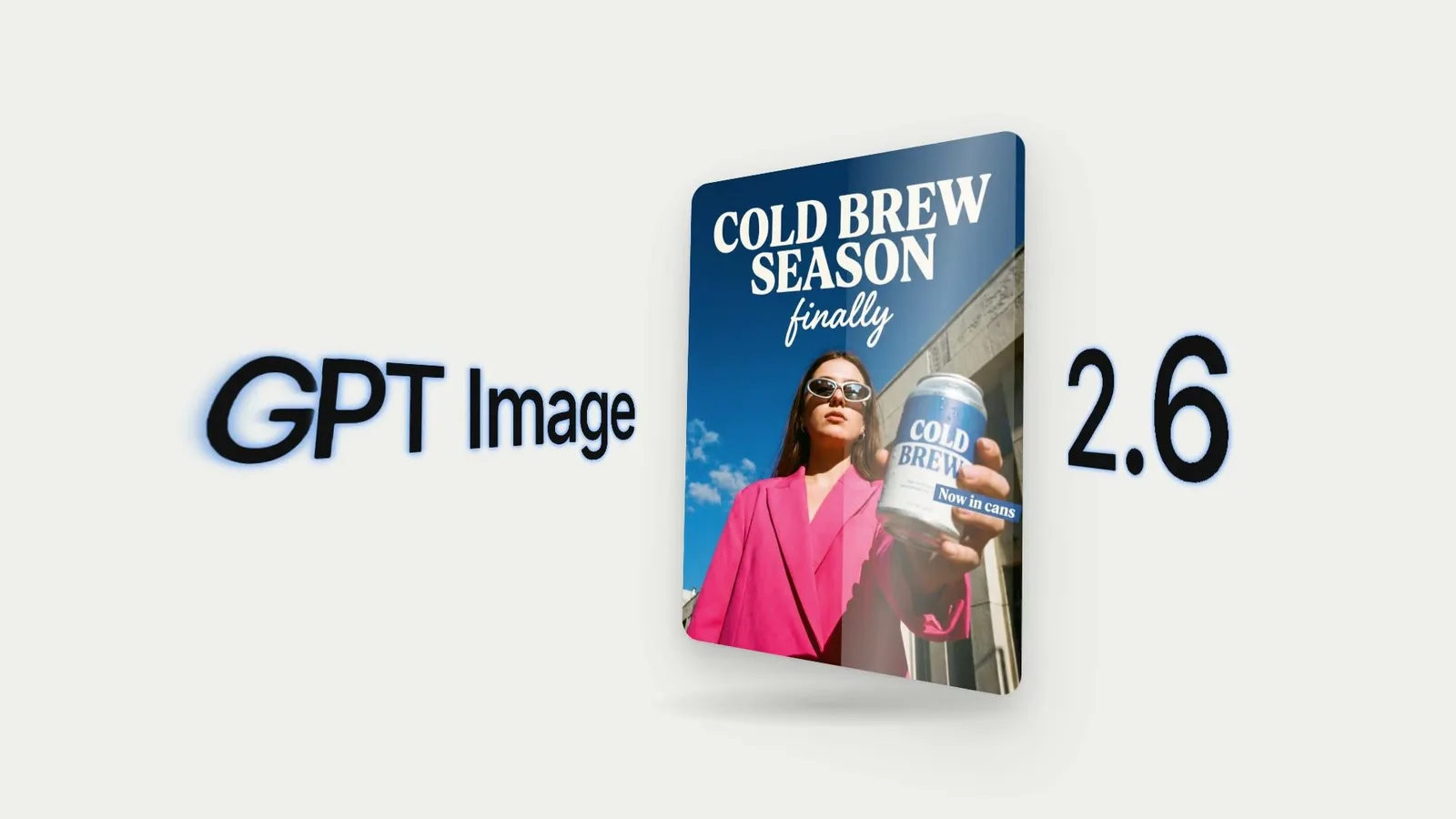
Cold brew poster made with GPT Image 2.6, with the headline "COLD BREW SEASON finally" above a woman in a pink suit holding a can

Generate with GPT Image 2.6 Flare

Describe the finished image: where it will be used, the subject, any exact text, the composition and the look. Add references only when they have a clear job. Open the output settings to switch to GIF, change the frame count or raise complexity for text-heavy layouts.

Loading the generator…

GPT Image 2.6 Flare is preselected. Use the model switcher to run the same brief on Sunburst, GPT Image 2.5 or another image model.

The fast model in OpenAI's Images 2.6

Flare is the 2.6 model to use when you need many drafts, quick variants or an image tool that has to feel instant.

OpenAI released Images 2.6 on November 4, 2026, as two API models: GPT Image 2.6 Flare and GPT Image 2.6 Sunburst. OpenAI says both generate images 50% faster than the previous release. Flare is the speed option: at low quality it can return an image in as little as six seconds, which makes it a practical default for first drafts, A/B ideas and in-product generation.

Learn More

Speed is not the only change. OpenAI says Flare improves layout quality for posters, product imagery and other professional visuals, so headlines, labels and product placement land in sensible positions more often. The 2.6 release also adds animated GIF output, an image markup layer for edits, SVG export and a new complexity setting that controls how much the model plans a composition before rendering it.

In Video Grid AI, Flare accepts a prompt with up to 16 reference images, returns one to four results, and supports 1K, 2K and 4K output in 15 aspect ratios or exact pixel sizes. You can export PNG, JPEG or WebP stills with transparent or opaque backgrounds, or choose GIF and set the frame count and playback speed. Markup editing and SVG export are API features that are not in the Video Grid AI generator yet.

Flare and Sunburst cost the same per token. GPT Image 2.6 does use more output tokens than 2.5 at Low and Medium quality, so the same draft settings cost more credits than they did on 2.5; High quality and above cost the same. The generator shows the exact credit total before you submit.

GPT Image 2.6 Flare controls in Video Grid AI

Flare is already selected when this page opens. These are the controls the generator below exposes today.

Input
Prompt plus up to 16 images

Start from text, or give each reference a job: identity, product, composition, palette or the image to edit.

Output
1–4 images or GIFs

Export PNG, JPEG or WebP stills, or choose GIF for a looping animation of 4 to 16 frames.

Size
1K–4K or exact pixels

Pick one of 15 aspect ratios or enter a custom size. GIFs use preset frame sizes in five ratios.

Quality and complexity
Low–Max · Low–High

Quality sets render detail. Complexity sets how much the model plans the layout first, at no extra cost.

What GPT Image 2.6 Flare does well

Each example below is a published GPT Image 2.6 output showing a capability you can use from this page.

Three GPT Image 2.6 GIFs side by side: a steaming coffee mug on a windowsill, a waving felt fox and a pulsing 50% off sale badge

Turn a prompt into a looping GIF

Set the output format to GIF and Flare renders a short animation: steam rising from a mug, a felt fox waving, a sale badge that pulses. Choose 4 to 16 frames and a slow, normal or fast speed. Each GIF is one loop you can drop into a chat, an email or a product page.

Create with GPT Image 2.6 Flare
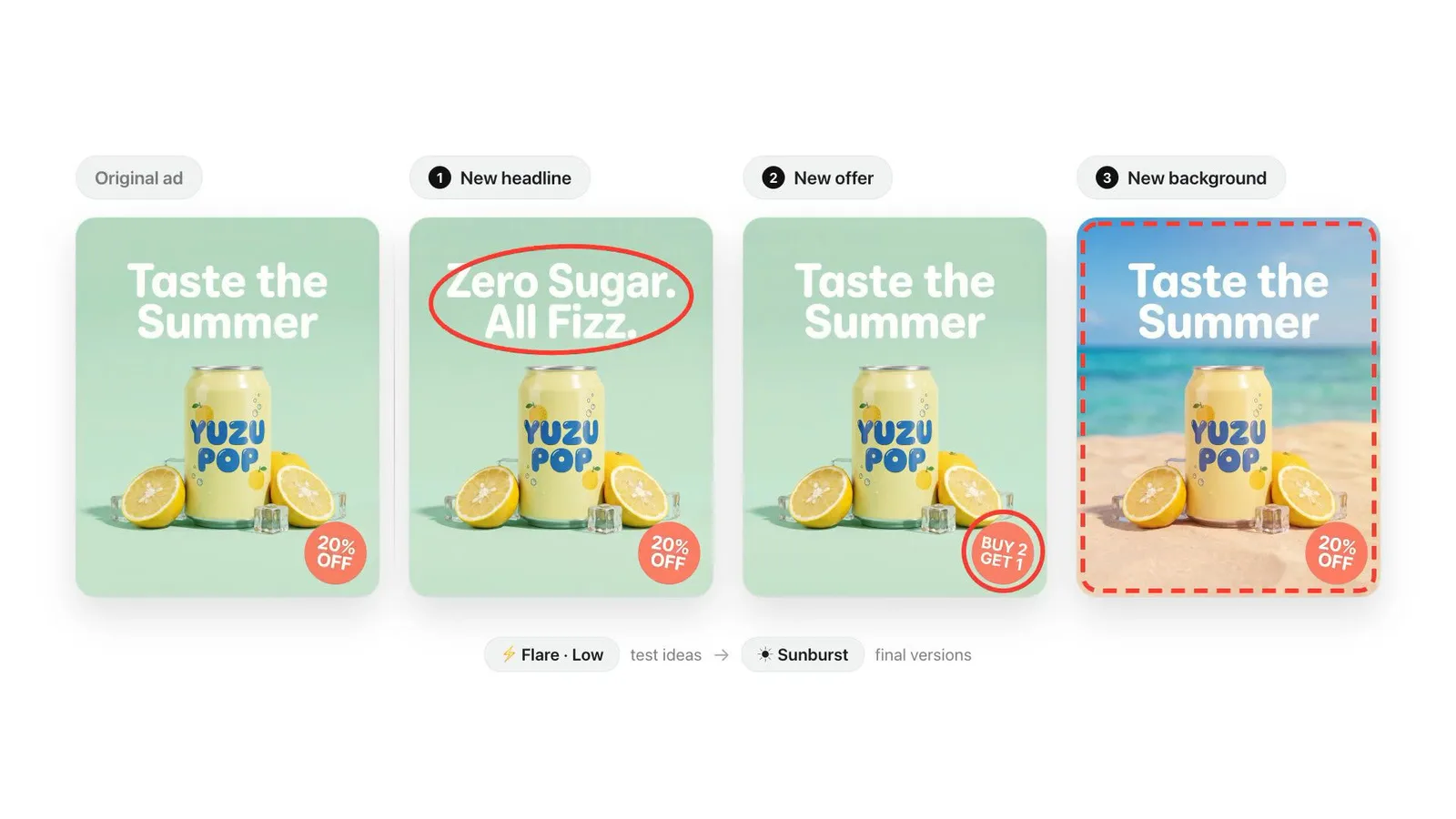
Four versions of a Yuzu Pop soda ad made with GPT Image 2.6, each changing the headline, the offer badge or the beach background

Test ad variants in minutes

Keep the product and layout fixed and change one thing per run: the headline, the offer or the background. Flare at low quality is quick enough to explore several directions before you commit to a high-quality final.

Create with GPT Image 2.6 Flare
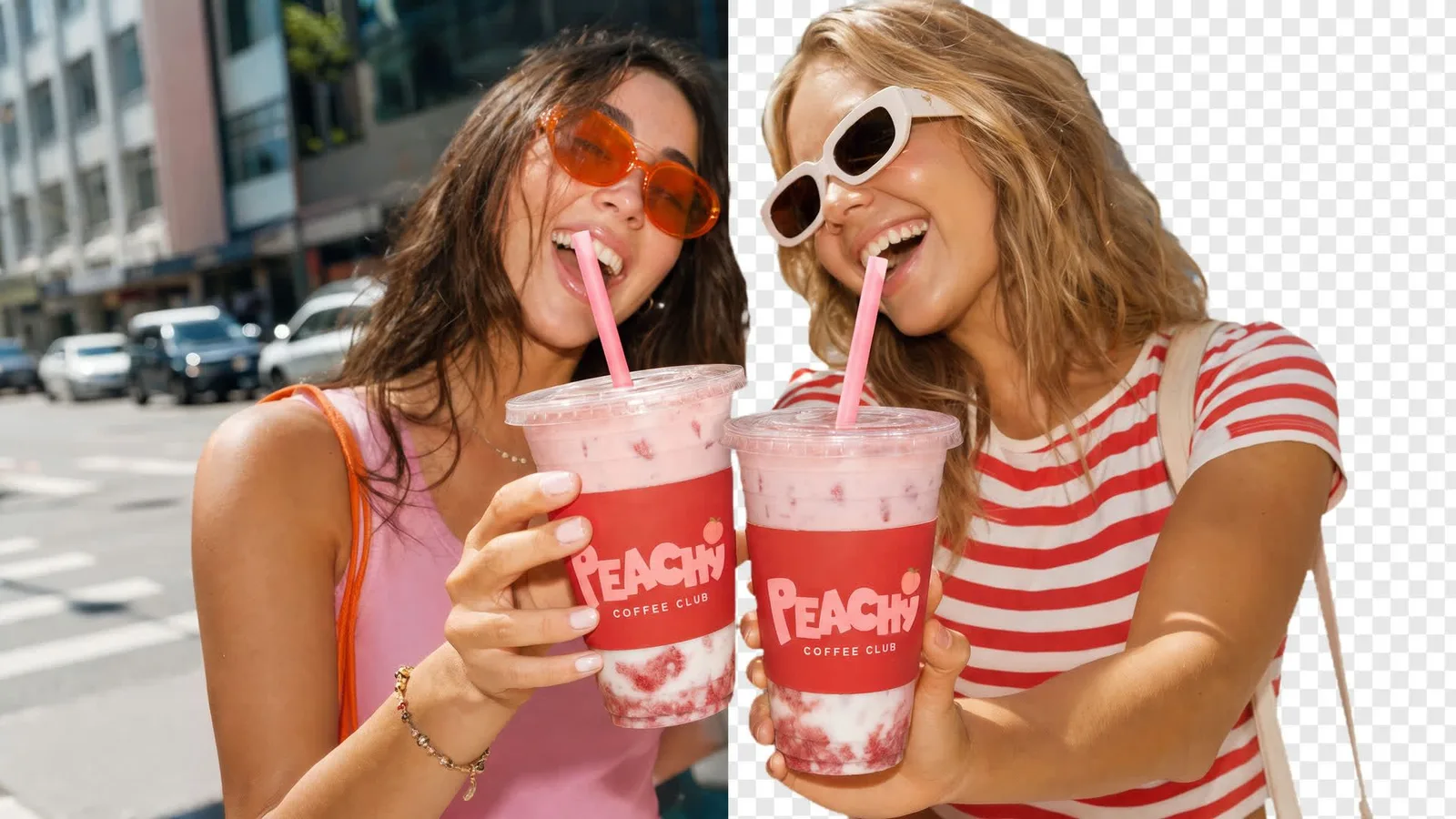
Two friends holding Peachy Coffee Club cups, shown with the street background on the left half and transparent on the right, made with GPT Image 2.6

Cut subjects out with transparent backgrounds

Request a transparent PNG or WebP and get a subject that is ready to place on any layout, with no separate background-removal step. Check soft edges such as hair and straws at full size.

Create with GPT Image 2.6 Flare
GPT Image 2.6 poster with the headline "COLD BREW SEASON finally" and a product can labelled "Now in cans"

Lay out posters with readable text

OpenAI says Flare improves layout quality for posters and product imagery. Put each headline in quotes, say where it goes, and raise complexity to High when a design has several text blocks.

Create with GPT Image 2.6 Flare
Animated GIFs from a single prompt

GIF output is new in GPT Image 2.6. Describe the motion, pick a frame count and speed, and Flare returns a looping animation instead of a still image.

GPT Image 2.6 GIF of steam rising from a speckled mug on a sunny windowsillGIF

Ambient loops

Small, repeating motion such as steam, rain or a flickering candle makes a calm background loop for a site or a post.

GPT Image 2.6 GIF of a felt fox in a blue scarf waving on a felt meadowGIF

Characters and mascots

Give a character one clear action, like a wave or a nod, so every frame stays on model.

GPT Image 2.6 GIF of a comic-style SALE 50% OFF badge pulsing on a paper backgroundGIF

Promotional stickers

Animate a badge, sticker or call-out for sales, launches and email headers. Keep the text short and in quotes.

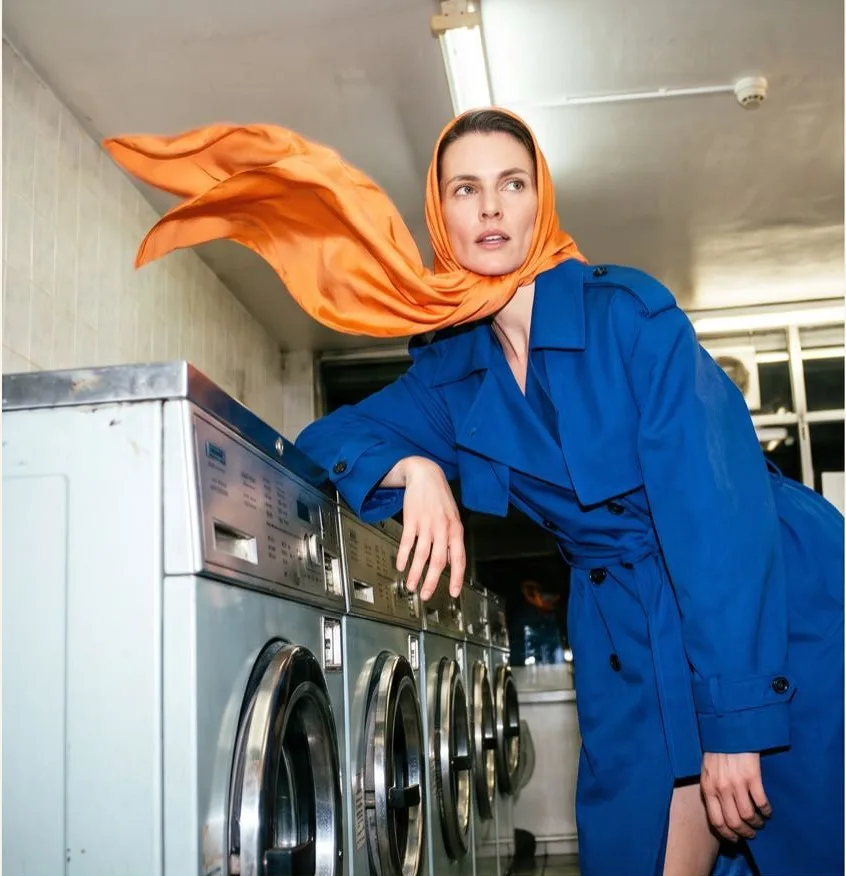
Edit one detail and keep the rest

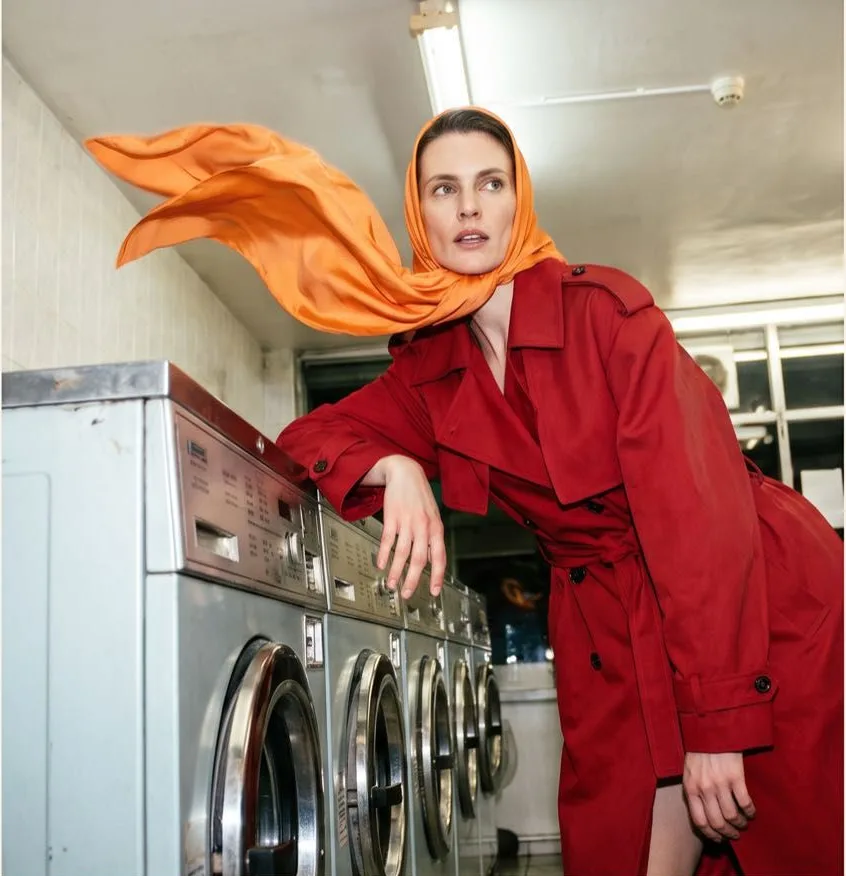
Upload the original as a reference, say what must stay the same, then describe the single change. Flare keeps the pose, lighting and setting while it swaps the detail you named.

Fashion photo of a woman in a red trench coat and orange headscarf leaning on washing machines in a laundromat
Original image
The same laundromat photo edited with GPT Image 2.6 so the trench coat is cobalt blue while everything else is unchanged
GPT Image 2.6 edit

Keep the model, her pose, the orange headscarf, the laundromat and the lighting exactly as they are. Change only the trench coat from red to a deep cobalt blue, keeping the same fabric, buttons and folds.

Where GPT Image 2.6 Flare fits best

Choose Flare when you need volume and fast turnaround, and switch to Sunburst for the final hero image if every detail matters.

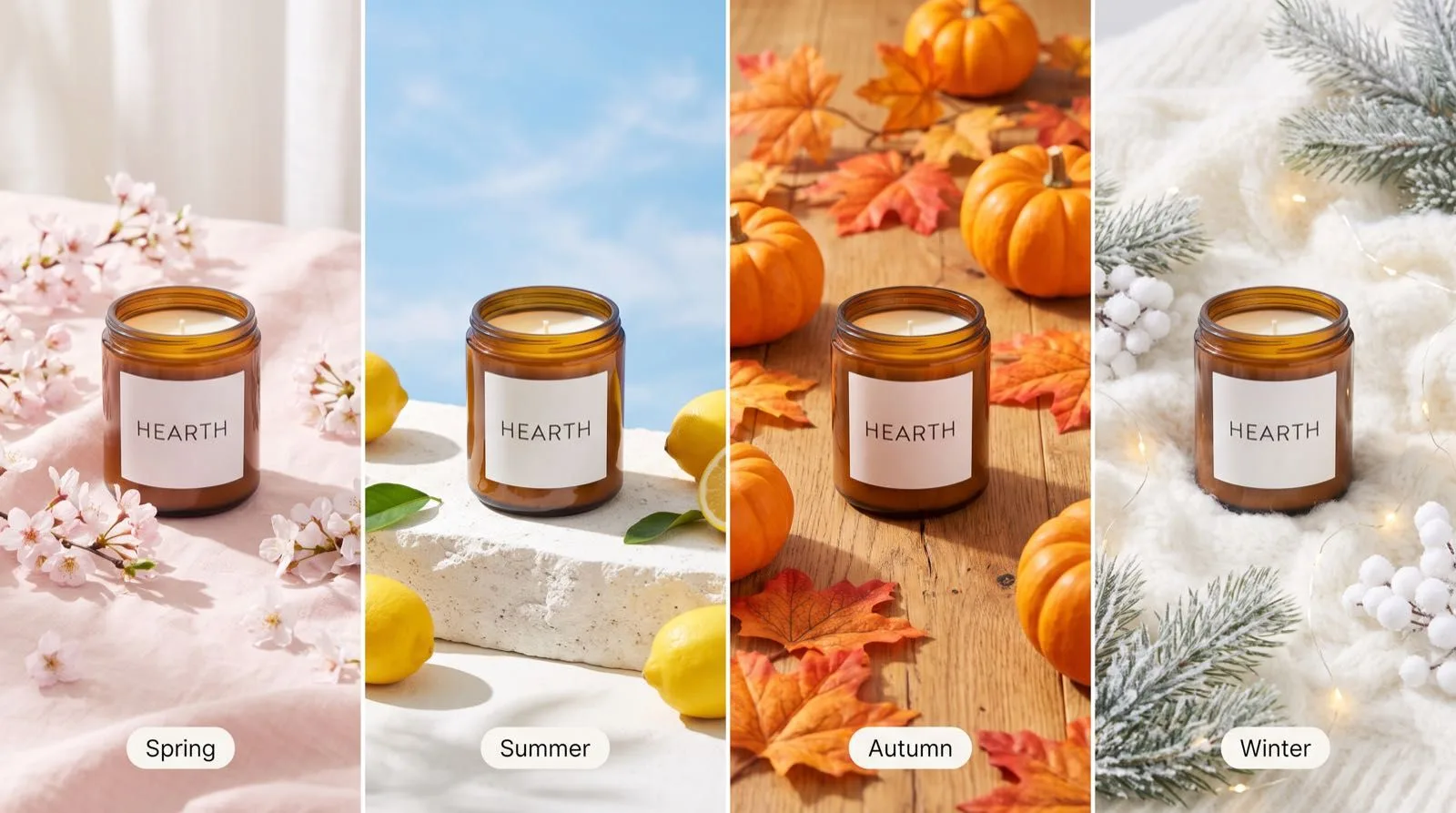
Four GPT Image 2.6 product photos of a Hearth candle styled for spring, summer, autumn and winter

Seasonal product photos

Put one product into spring, summer, autumn and winter scenes from a single reference, ready for a store refresh.

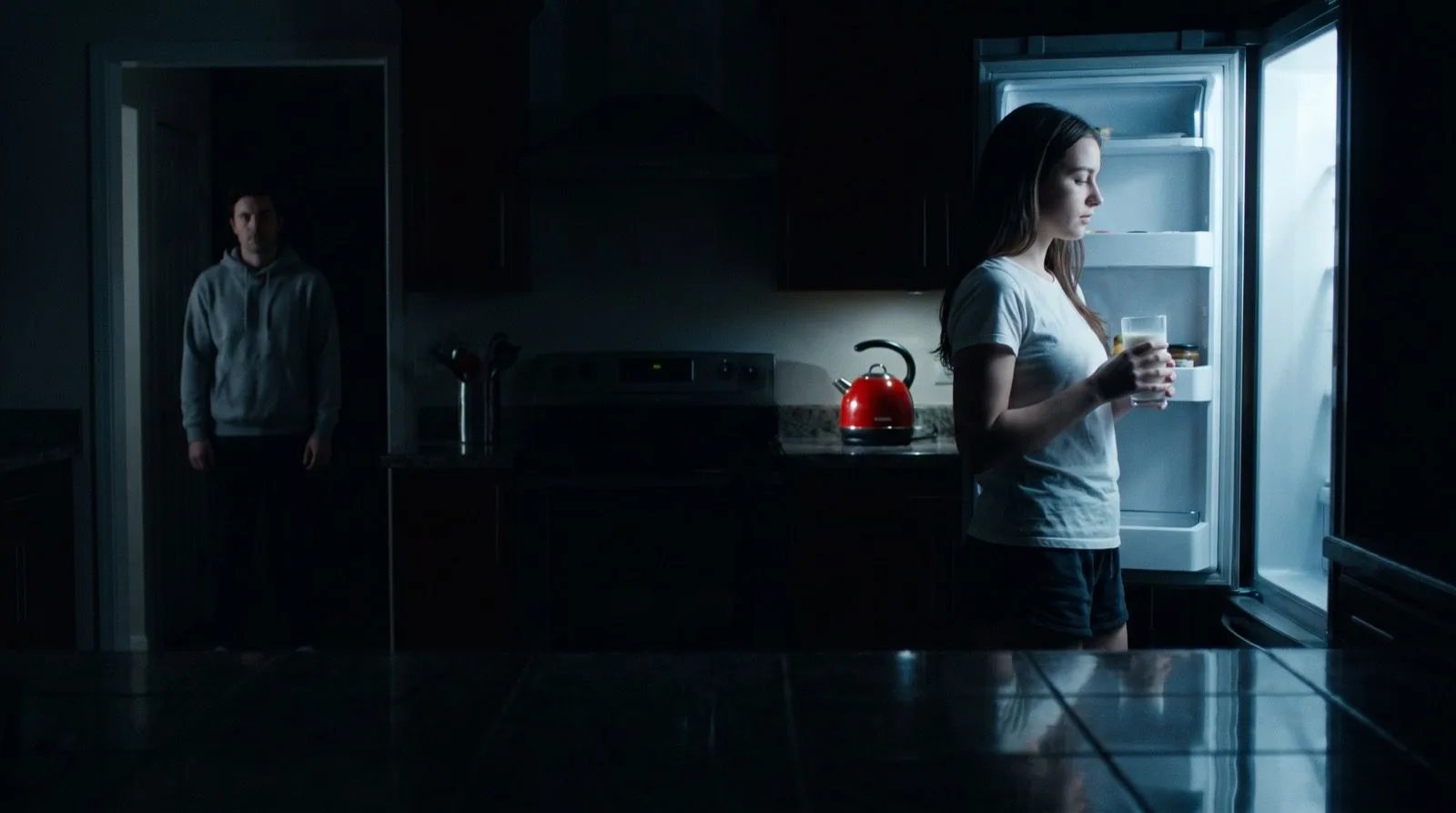
GPT Image 2.6 cinematic still of a dark kitchen lit only by an open fridge

Storyboards and mood frames

Sketch the lighting and blocking of a scene before a shoot, then share the frames with the crew.

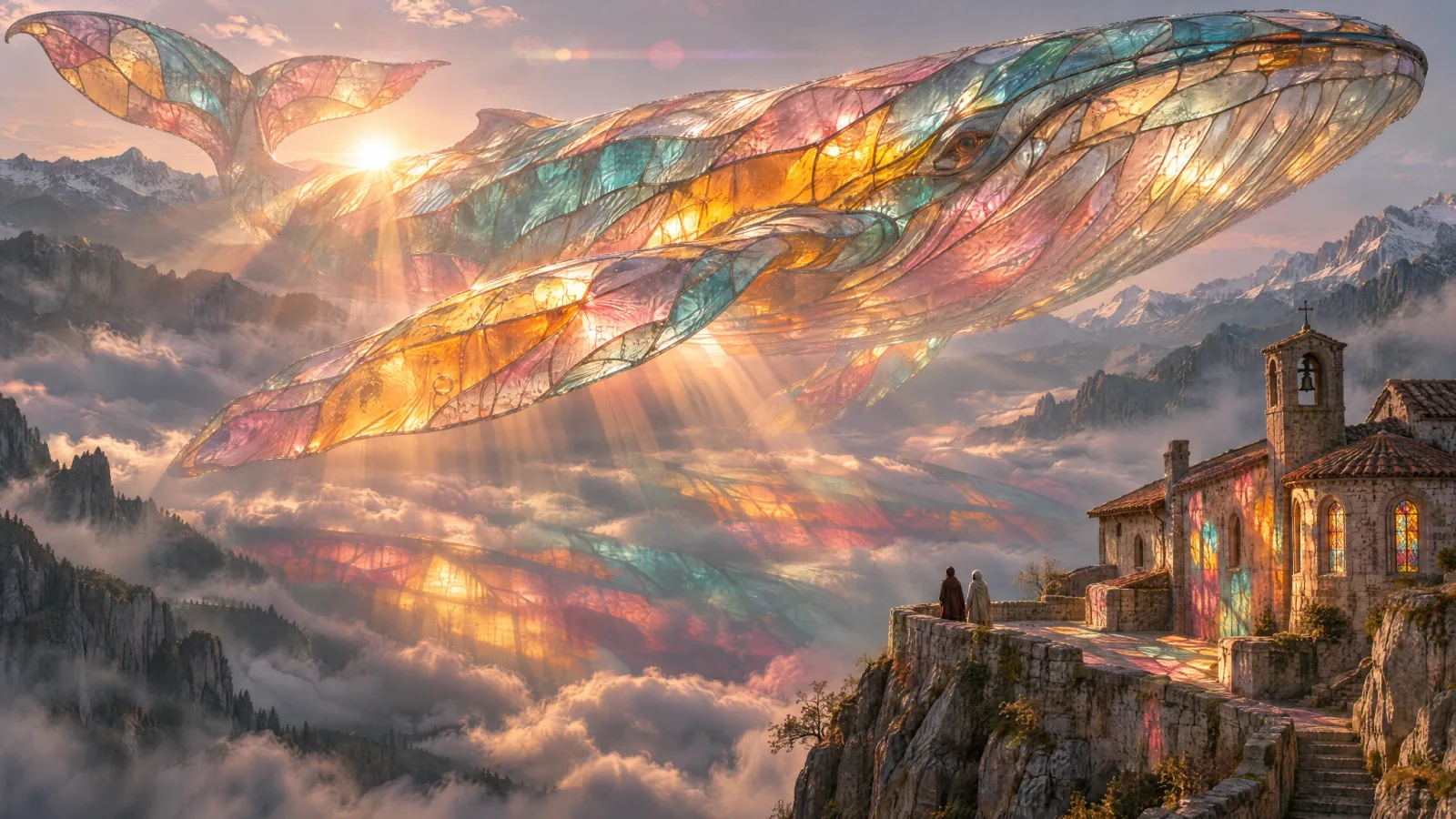
GPT Image 2.6 concept image of a huge stained-glass whale over misty mountains

Concept art and key visuals

Explore surreal or fantastical ideas quickly, then take the strongest one into a higher-quality pass.

Write Flare prompts that land on the first try

A good prompt reads like a short creative brief. List what the viewer should see, in order of importance, so each draft answers the same question.

Prompt formula

Deliverable and size + subject and action + composition + exact text in quotes + style and materials + lighting and camera + things to avoid. For GIFs, add the motion and say that it loops.

Example: a looping GIF for an email header

Looping GIF, 16:9. A ceramic coffee cup on a wooden café counter in soft morning light. Steam curls up from the cup and drifts out of frame, then the loop restarts. A small chalkboard behind it reads "OPEN 7AM". Warm, cozy, slightly film-grain look. Camera and everything except the steam stay perfectly still. No people, no extra text.

01

Give motion one job

In a GIF, animate one element and keep the camera still. Several moving parts in a few frames read as jitter rather than motion.

02

Quote every word you need

Put headlines, prices and labels in quotes and say where they go. Use High complexity when the layout has several text blocks.

03

Draft low, finish high

Explore at Low or Medium quality, then re-run the winning prompt at High. Raising quality does not change the composition the prompt describes.

Create with Flare in three steps

Find the direction quickly and cheaply, then spend credits on the version you will actually use.

01

Write the brief

Describe the deliverable, subject, exact text and look. For a GIF, describe the motion and say that it loops.

02

Pick format and settings

Add references if needed, choose still or GIF, set the ratio, and select the number of results, quality and complexity.

03

Review and refine

Check text, hands and product details at full size. Fix one thing at a time, then raise quality for the final.

Flare settings and live pricing

GPT Image 2.6 is billed by tokens. Video Grid AI converts the selected size, quality, number of results and any GIF frames into credits and shows the total on the Generate button.

SettingOptionsHow to choose
FormatPNG, JPEG, WebP or GIFPNG for transparency, JPEG for compatibility, WebP for the web, GIF for a looping animation.
Results per run1, 2, 3 or 4Use one for a focused edit and several when comparing directions. Each result is billed.
Resolution (stills)1K, 2K, 4K or exact pixelsDraft at 1K. Go higher when the image is printed or shown large.
GIF frames and speed4–16 frames · slow, normal, fastMore frames give smoother motion and cost more, because all frames render on one larger sheet.
QualityAuto, Low, Medium, High, XHigh, Max2.6 uses more tokens than 2.5 at Low and Medium. Auto is charged at the Max rate.
ComplexityLow, Medium, HighHow much the model plans the layout before rendering. It does not change the price.

Flare or Sunburst: pick by the job

Both 2.6 models share the same controls, GIF support and per-token price in Video Grid AI. They differ in what OpenAI tuned them for.

DecisionGPT Image 2.6 FlareGPT Image 2.6 Sunburst
Built forSpeed. Images in as little as about six seconds at low quality.Detail and precision, with more consistent results across repeated edits at medium or high quality.
Best workloadDrafts, ad variants, social posts, GIF stickers and in-app generation.Hero images, multi-step edits, product finals and fine textures.
Working styleTry many directions, then pick one.Polish one direction through several careful edits.
PriceSame token rates as Sunburst; credits shown before you generate.Same token rates as Flare; the model choice alone does not change the credit total.

Check every result before you publish

Flare is fast, but each output still needs a human look before it goes live.

  • Proofread names, prices, dates and any non-English text. Better layout does not guarantee every letter is right.
  • GIFs are short loops of 4 to 16 frames at preset sizes up to 768 pixels wide. They are not videos and cannot carry long motion.
  • Free watermarked downloads of a GIF are saved as a still PNG of the first frame. The original download keeps the animation.
  • Markup editing and SVG export are part of the GPT Image 2.6 API but are not available in the Video Grid AI generator yet.
  • Only upload images you have the right to use, and review brand, factual and rights questions before publishing.

GPT Image 2.6 Flare questions

What is GPT Image 2.6 Flare?

Flare is the speed-focused model in OpenAI's Images 2.6 release from November 2026. OpenAI says it can generate an image in as little as six seconds at low quality and improves layout quality for posters and product imagery.

How is Flare different from GPT Image 2.6 Sunburst?

Flare is tuned for speed. Sunburst is tuned for detail and for keeping images consistent across repeated edits at medium or high quality. Both cost the same per token and support GIF output in Video Grid AI.

Can GPT Image 2.6 Flare make GIFs?

Yes. Choose GIF as the output format, pick 4 to 16 frames and a playback speed, and describe the motion in your prompt. GIFs are available in 1:1, 4:3, 3:4, 16:9 and 9:16.

How much does a GIF cost?

A GIF is rendered as one sheet that holds all its frames, so the price depends on the frame count, frame size and quality. The generator shows the credit total before you submit.

What is the complexity setting?

Complexity controls how much the model plans a composition before rendering it. Use High for text-heavy layouts and Low for simple scenes. It is separate from quality and does not change the price.

Why does Low quality cost more than it did on GPT Image 2.5?

GPT Image 2.6 uses the same token rates as 2.5 but more output tokens at Low and Medium quality, so those tiers cost more. From High quality upward the token use, and the price, are the same.

Can Flare edit an existing image?

Yes. Upload the image as a reference, say what must stay the same, then describe the one change you want. You can add up to 16 references in total.

Which sizes and formats are available?

Stills come in 1K, 2K or 4K across 15 aspect ratios or exact pixel sizes, as PNG, JPEG or WebP with an optional transparent background. GIFs use preset frame sizes up to 768 pixels wide.

Can I use markup or export SVG?

Not yet. OpenAI added image markup and SVG export to the GPT Image 2.6 API, but the Video Grid AI generator does not offer them today.

Sources and image credits

Model claims come from OpenAI's Images 2.6 announcement and developer forum post. Controls and billing follow the current Video Grid AI integration and APIMart's documentation. Example images and GIFs are published GPT Image 2.6 outputs from OpenArt and OpenAI, used with permission.

Draft your first image or GIF with Flare

Start at the size you will publish, explore at low quality, then raise quality, or switch to GIF, once the idea is right.

Create with GPT Image 2.6 Flare