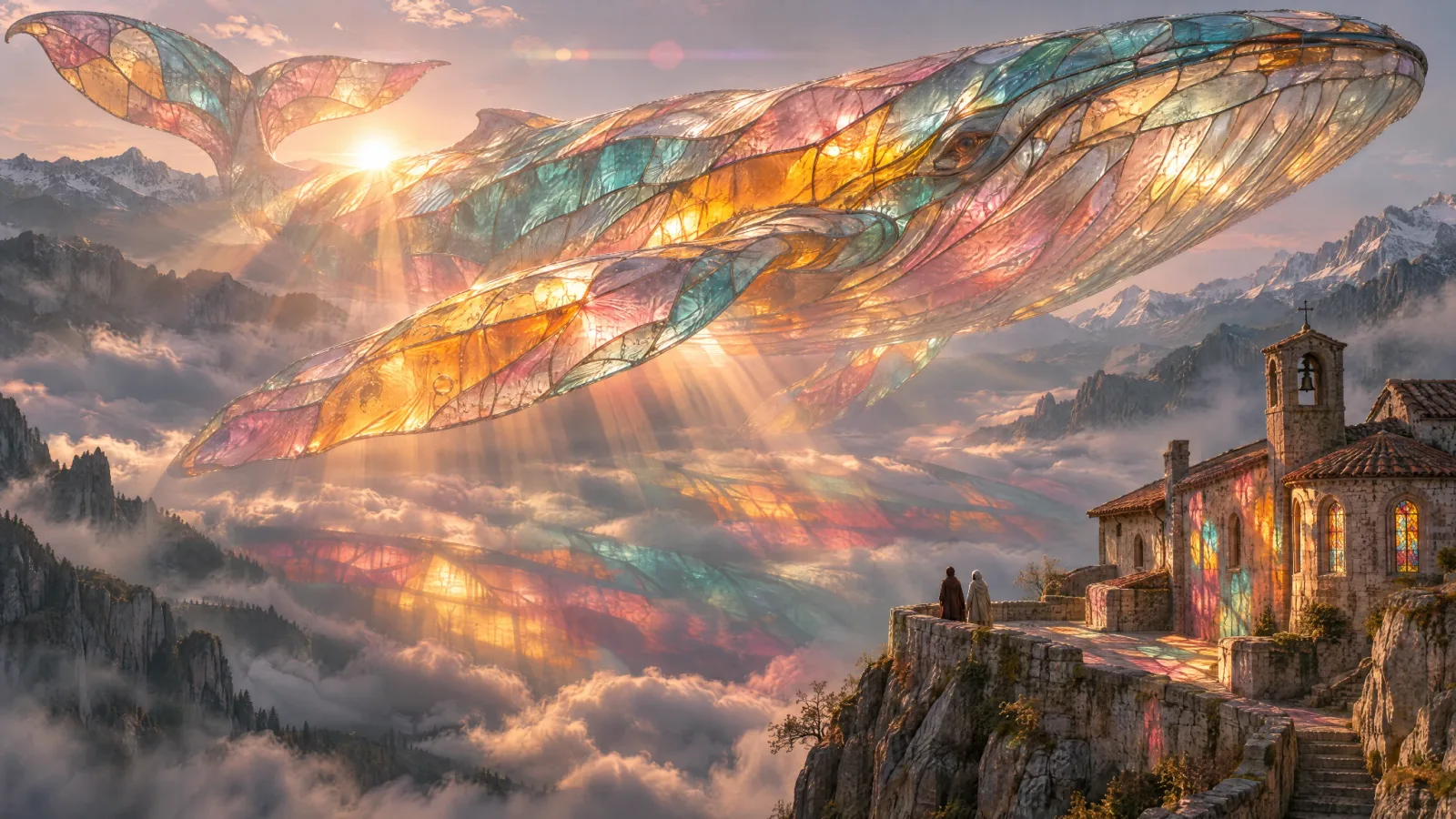
Render fine detail and complex materials
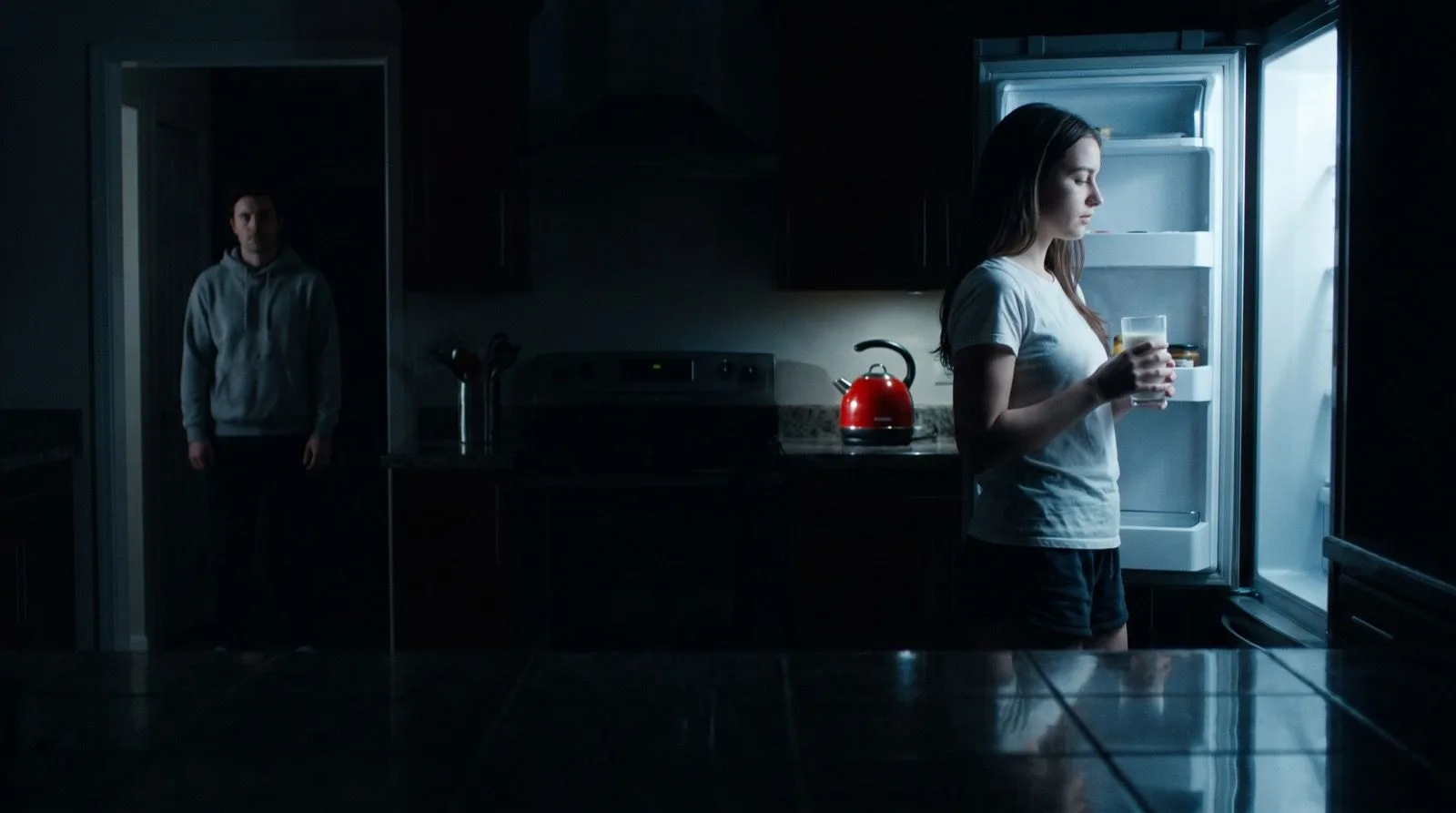
Stained glass, mist, reflections and warm backlight all hold up at full size. Describe the materials and light separately, then use High quality for the final render.
Create with GPT Image 2.6 SunburstGPT Image 2.6 Sunburst is OpenAI's quality-first image model. OpenAI says it renders more detail than Flare and keeps images more consistent from one edit to the next at medium or high quality. Use it for hero images, product finals and multi-step edits, and for looping GIFs that need a polished look.
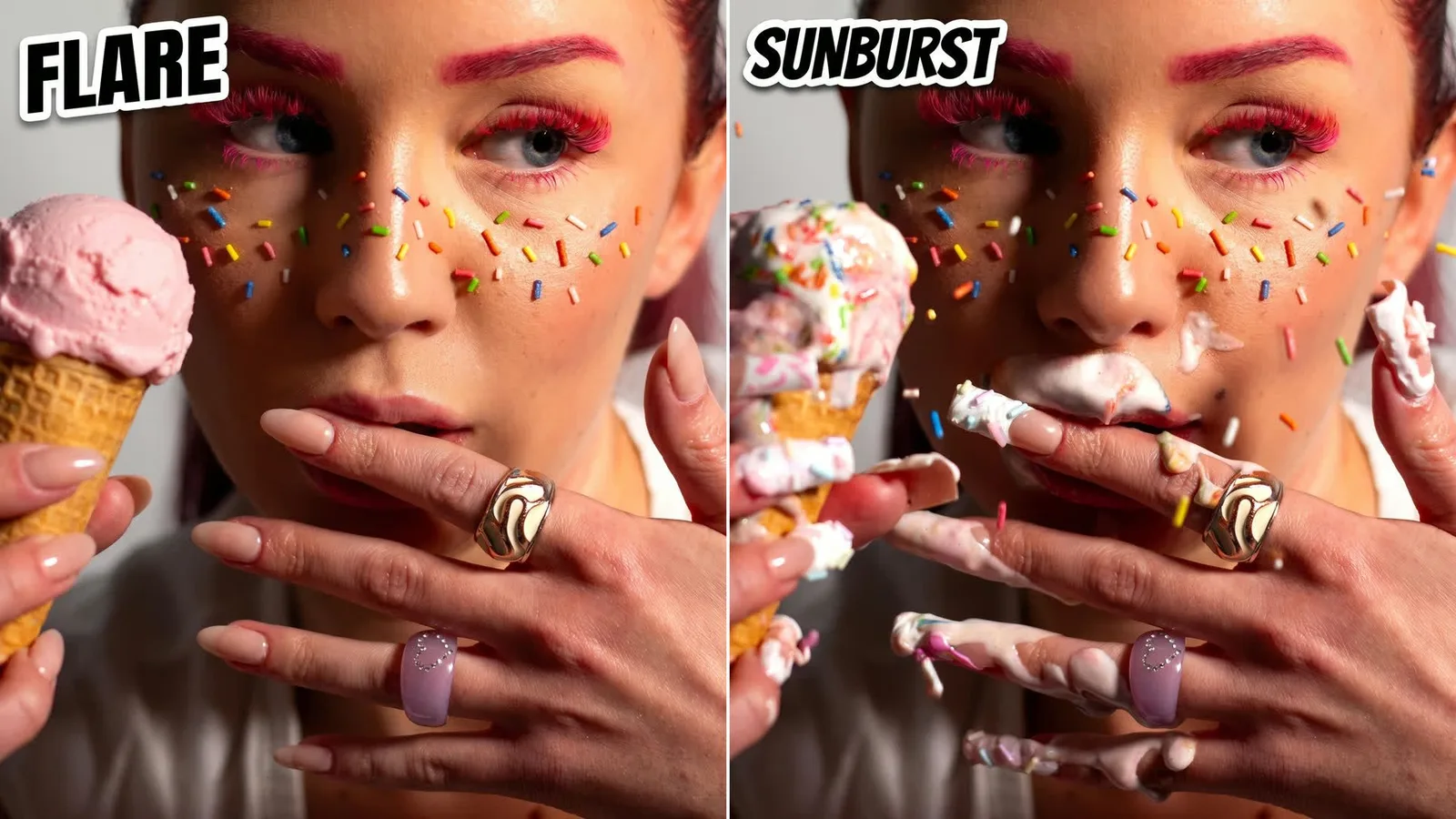
For an edit, upload the source image, say exactly what must stay the same and describe the one change. For a new image, describe the subject, materials, light and any exact text. Use Medium or High quality to get Sunburst's full detail.
GPT Image 2.6 Sunburst is preselected. Use the model switcher to try the same brief on Flare, GPT Image 2.5 or another image model.
Sunburst is the 2.6 model to use when the result is the final asset and small details decide whether it ships.
OpenAI released Images 2.6 on November 4, 2026, as two API models. Flare is built for speed. Sunburst is built for work that calls for more detail and precision: OpenAI says it delivers higher-quality images and keeps images more consistent across edits when quality is set to medium or high. OpenAI also says both 2.6 models generate images 50% faster than the previous release.
Consistency across edits matters when an image goes through several rounds of changes. Sunburst is better at keeping a person's face, a product's shape and a scene's lighting the same while you change a sign, a garment or a background, so the fifth revision still looks like the first.
In Video Grid AI, Sunburst accepts a prompt with up to 16 reference images, returns one to four results, and supports 1K, 2K and 4K output in 15 aspect ratios or exact pixel sizes. Export PNG, JPEG or WebP stills with transparent or opaque backgrounds, or choose GIF to render a looping animation. Use the complexity setting to let the model plan dense layouts more carefully, at no extra cost. Markup editing and SVG export are API features that are not in the Video Grid AI generator yet.
Sunburst and Flare cost the same per token, so choosing Sunburst does not change the credit total for the same settings. Compared with GPT Image 2.5, the 2.6 models use more output tokens at Low and Medium quality; High quality and above cost the same. The generator shows the exact credits before you submit.
Sunburst is already selected when this page opens. These are the controls the generator below exposes today.
Give each reference a job: the image to edit, a face, a product, a layout, a palette or a texture.
Export PNG, JPEG or WebP stills, or choose GIF for a looping animation of 4 to 16 frames.
Pick one of 15 aspect ratios or enter a custom size. GIFs use preset frame sizes in five ratios.
Sunburst's edit consistency is strongest at Medium or High quality. Complexity is free to raise.
Each example below is a published GPT Image 2.6 output showing a capability you can use from this page.
Stained glass, mist, reflections and warm backlight all hold up at full size. Describe the materials and light separately, then use High quality for the final render.
Create with GPT Image 2.6 Sunburst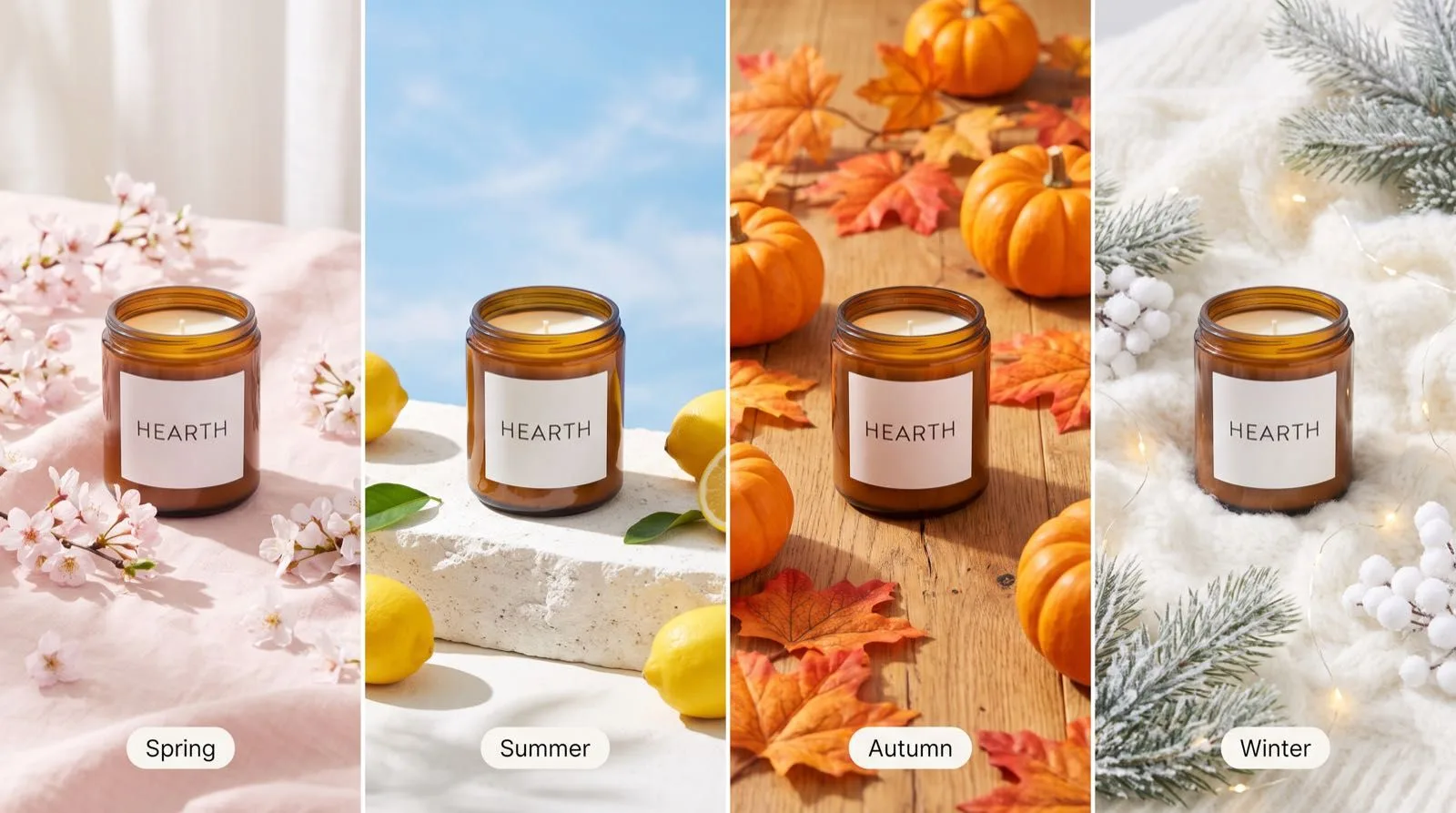
Place the same product into several settings and keep its label, glass and proportions identical. Upload the product photo as a reference and name it as the thing that must not change.
Create with GPT Image 2.6 Sunburst
Sunburst supports the new 2.6 GIF output too. Use it when the loop is a finished asset, such as a brand sticker or a product animation, and the texture of each frame matters.
Create with GPT Image 2.6 Sunburst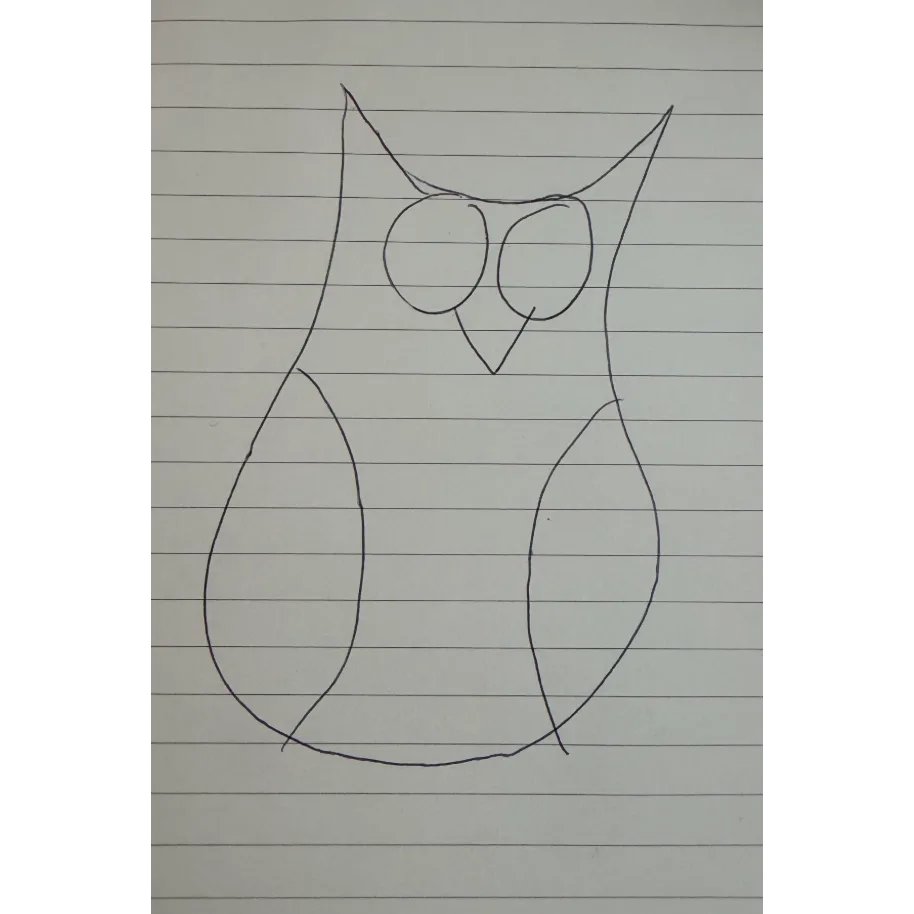
Ask for an exact medium, such as a pen drawing on lined paper, and Sunburst keeps the strokes, paper texture and imperfections that make it believable.
Create with GPT Image 2.6 SunburstGIF output is new in GPT Image 2.6. Describe the motion, pick a frame count and speed, and Sunburst returns a looping animation you can publish as is.
 GIF
Rising steam, swaying curtains or a slow glint of light bring a product shot to life without a video shoot.
 GIF
Keep a mascot's materials and proportions steady from frame to frame while it waves, nods or blinks.
 GIF
Animate a badge or sticker for a launch, a sale or an email header. Keep the text short and in quotes.
This example changes the shop sign, the hoodie colour and removes passers-by in one pass, while the person, the street and the lighting stay the same. List each change, then list what must not move.
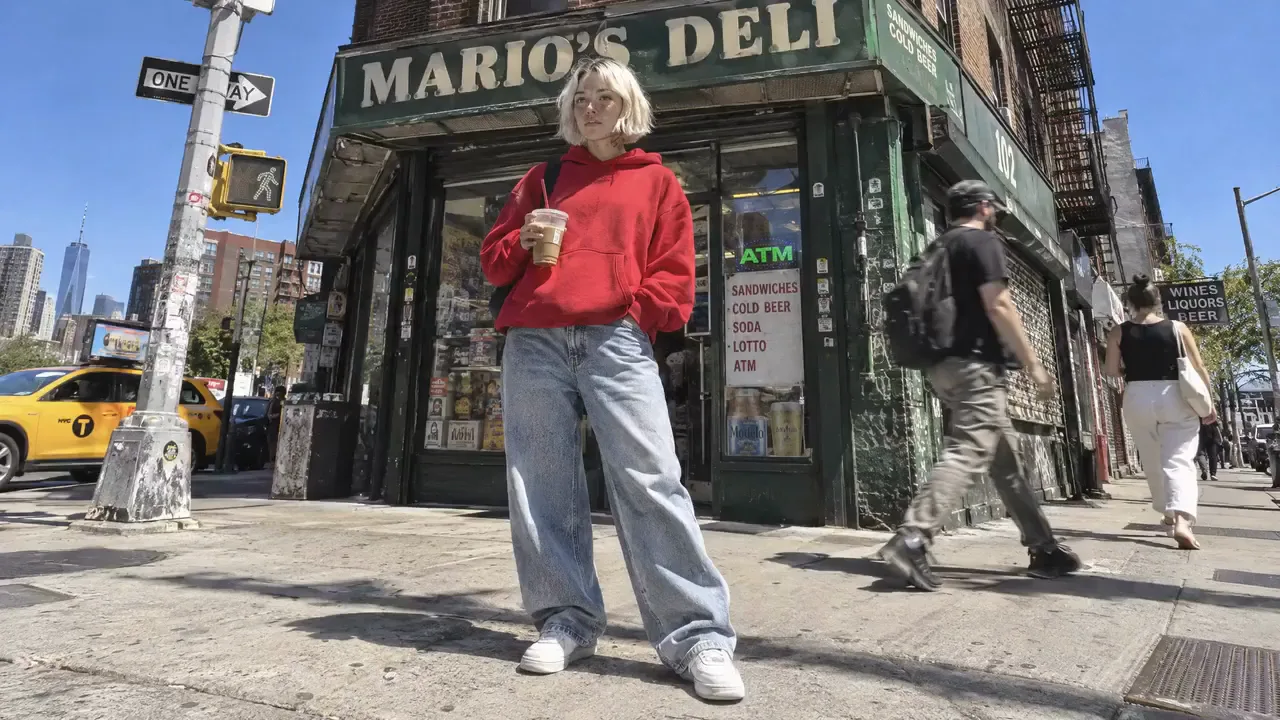
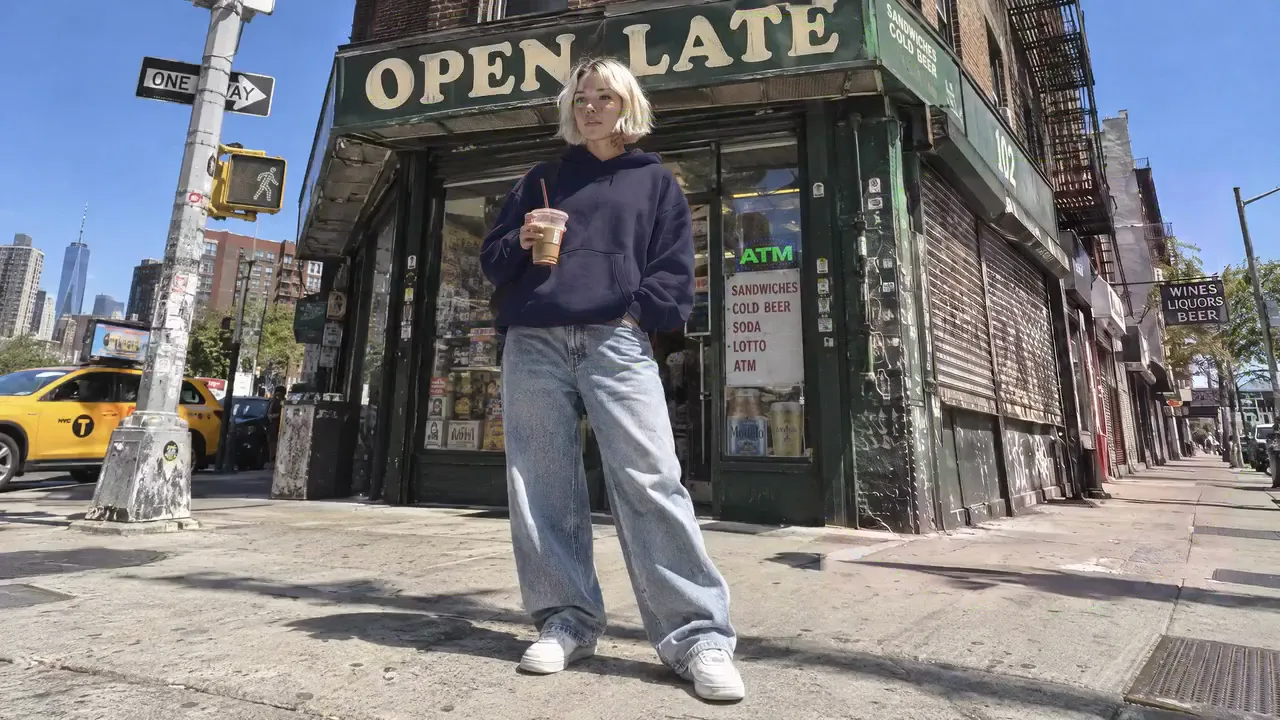
Change the shop sign from "MARIO'S DELI" to "OPEN LATE" in the same lettering. Change the red hoodie to navy. Remove the two people walking on the right and fill the sidewalk naturally. Keep the woman, her pose and face, the coffee cup, the taxi, the building and the sunlight exactly the same.
Choose Sunburst for the version you will ship. Many teams draft in Flare and finish in Sunburst.
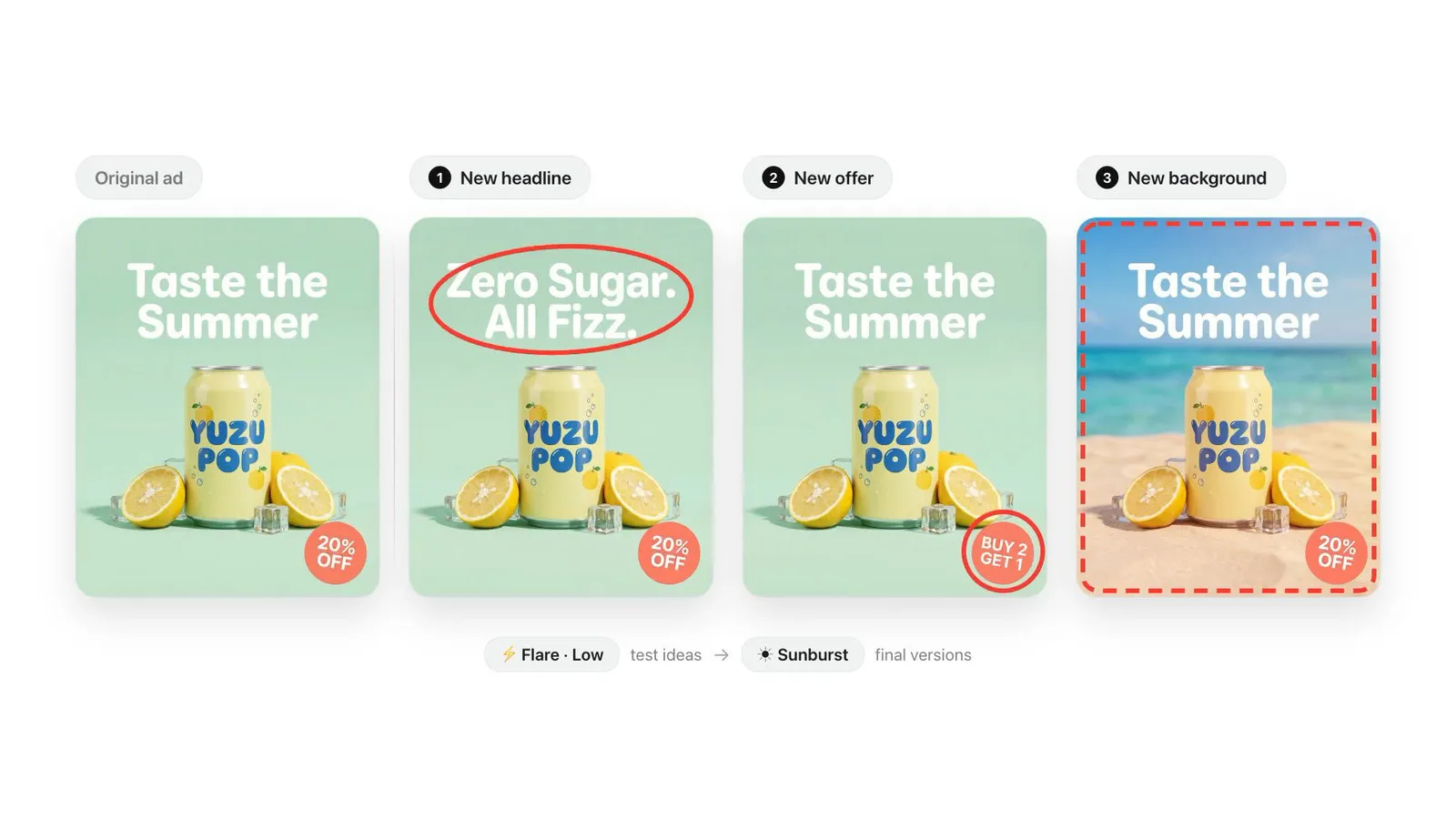
Test headlines and offers quickly in Flare, then render the winning ad in Sunburst with the same prompt.
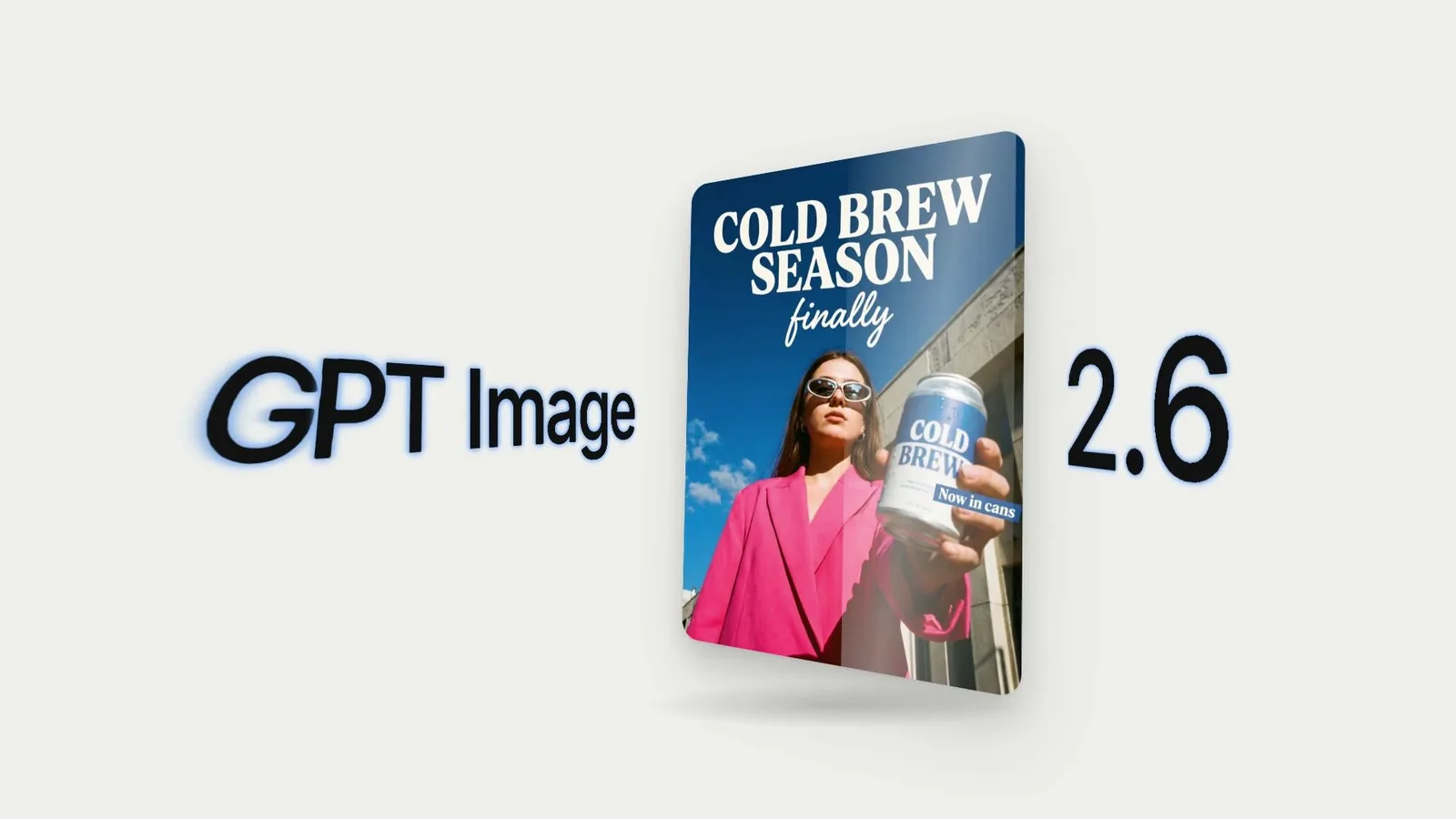
Produce the hero poster for a launch with readable headlines and a product that matches the real packaging.
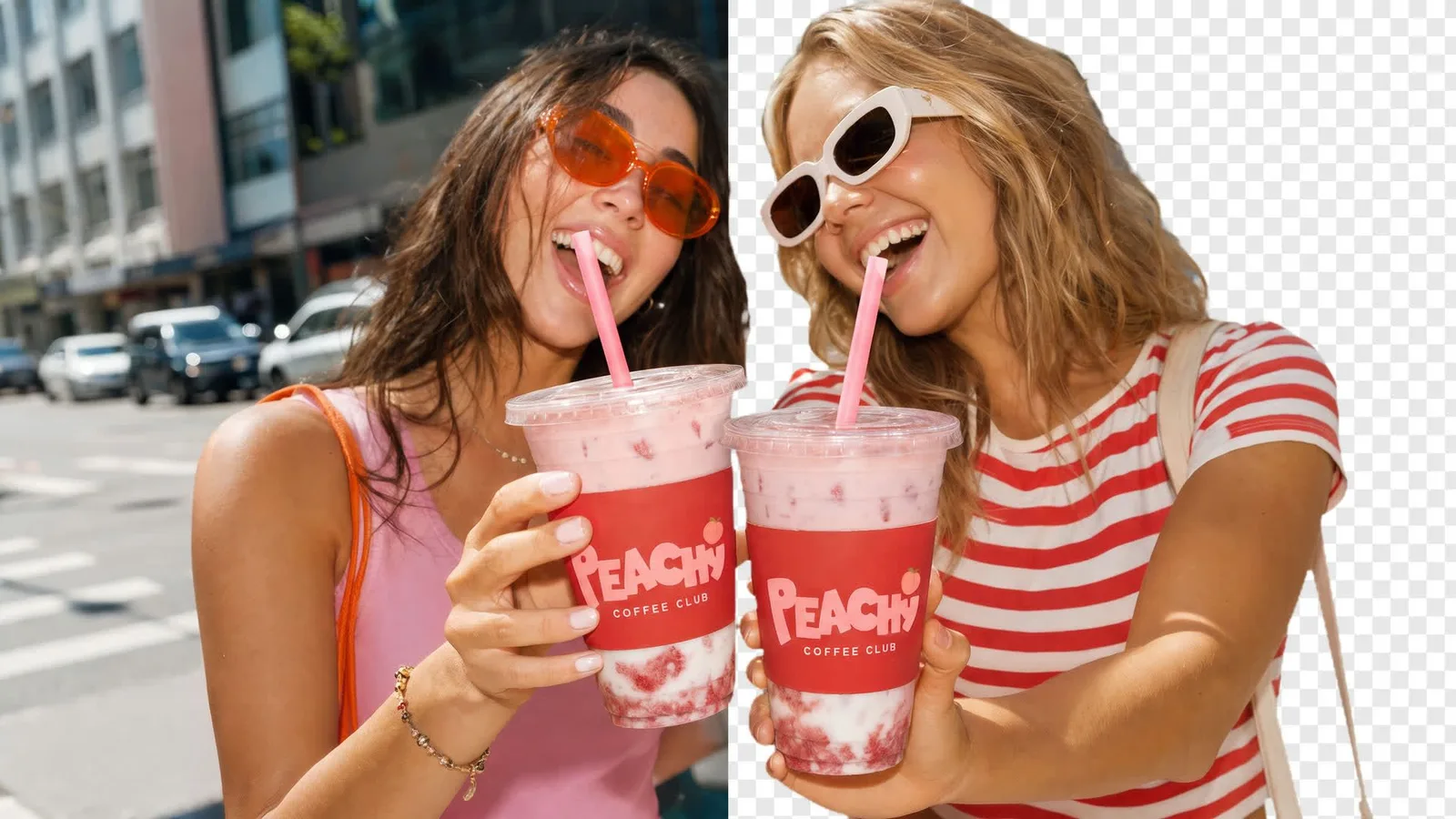
Export subjects on a transparent background, ready to place on a site, a deck or a social template.
Sunburst rewards specific instructions. Say what to change, what to keep, and how the finished image should look.
What to change (one line per change) + what must stay exactly the same + the look of the finished image + things to avoid. For a new image: subject + materials + light + camera + exact text in quotes.
Use image 1 as the product. Keep the amber glass jar, the white "HEARTH" label and its proportions exactly as shown. Place it on a frosted linen surface with pine sprigs, white berries and soft fairy-light bokeh behind. Diffused window light from the left, shallow depth of field, 4:5 product photo. No extra text, no other products.
Write the changes first and the things to preserve second. Naming what must stay is what makes Sunburst's edits consistent.
OpenAI says Sunburst's edit consistency is strongest at medium or high quality. Use Low only for rough layout checks.
With several uploads, say which image is the source, which is the product and which is the style. Ambiguous references cause drift.
Set up the edit carefully once, then repeat it with confidence.
Add the source image and any references, then write what to change and what must stay the same.
Pick Medium or High quality, set complexity for dense layouts, and choose a still format or GIF.
Check faces, text and product edges at full size, then make the next edit on the result.
GPT Image 2.6 is billed by tokens. Video Grid AI converts the selected size, quality, number of results and any GIF frames into credits and shows the total on the Generate button.
| Setting | Options | How to choose |
|---|---|---|
| Format | PNG, JPEG, WebP or GIF | PNG for transparency, JPEG for compatibility, WebP for the web, GIF for a looping animation. |
| Results per run | 1, 2, 3 or 4 | Request several when you want to compare takes on the same edit. Each result is billed. |
| Resolution (stills) | 1K, 2K, 4K or exact pixels | Use 2K or 4K for finals that will be printed or shown large. |
| GIF frames and speed | 4–16 frames · slow, normal, fast | More frames give smoother motion and cost more, because all frames render on one larger sheet. |
| Quality | Auto, Low, Medium, High, XHigh, Max | Medium or High is where Sunburst's consistency shows. Auto is charged at the Max rate. |
| Complexity | Low, Medium, High | How much the model plans the layout before rendering. It does not change the price. |
Both 2.6 models share the same controls, GIF support and per-token price in Video Grid AI. They differ in what OpenAI tuned them for.
| Decision | GPT Image 2.6 Sunburst | GPT Image 2.6 Flare |
|---|---|---|
| Built for | Detail and precision, with more consistent results across repeated edits at medium or high quality. | Speed. Images in as little as about six seconds at low quality. |
| Best workload | Hero images, multi-step edits, product finals and fine textures. | Drafts, ad variants, social posts, GIF stickers and in-app generation. |
| Working style | Polish one direction through several careful edits. | Try many directions, then pick one. |
| Price | Same token rates as Flare; credits shown before you generate. | Same token rates as Sunburst; the model choice alone does not change the credit total. |
Sunburst is more consistent, not infallible. Review each output before it goes live.
Sunburst is the quality-focused model in OpenAI's Images 2.6 release from November 2026. OpenAI says it delivers higher-quality images and more consistent results across edits at medium or high quality.
Sunburst is tuned for detail and edit consistency. Flare is tuned for speed and can return a low-quality image in about six seconds. Both cost the same per token and both support GIFs in Video Grid AI.
Use Medium or High. OpenAI says that is where Sunburst keeps details most consistent across edits. Low works for quick layout checks; XHigh and Max add detail at a higher cost.
Yes. Choose GIF as the output format, pick 4 to 16 frames and a playback speed, and describe the motion. GIFs are available in 1:1, 4:3, 3:4, 16:9 and 9:16.
It is better at it than earlier models, especially at medium or high quality. Upload the source, state what must not change, and compare each result with the original.
Complexity controls how much the model plans a composition before rendering it. Use High for dense layouts with several text blocks. It is separate from quality and does not change the price.
It depends on size, quality, number of results, references and, for GIFs, the frame count. Sunburst and Flare use the same rates, and the generator shows the total before you submit.
Up to 16. Say which one is the image to edit and what role each of the others plays.
Not yet. OpenAI added image markup and SVG export to the GPT Image 2.6 API, but the Video Grid AI generator does not offer them today.
Model claims come from OpenAI's Images 2.6 announcement and developer forum post. Controls and billing follow the current Video Grid AI integration and APIMart's documentation. Example images and GIFs are published GPT Image 2.6 outputs from OpenArt and OpenAI, used with permission.
Upload the source, name what must stay the same, render at Medium or High quality, and export a still or a looping GIF.
Create with GPT Image 2.6 Sunburst